 Black Deal 50% off the first year with annual billing – only until December 31, 2026.
ZUGFeRD Explained: Structure, Obligation and Creating Invoices
ZUGFeRD (hybrid e-invoice format) is a German format for the E-Rechnung (e-invoice). It packs a normal, readable PDF invoice and a machine-readable XML data set into a single file. So your customer can read the invoice on screen as usual, while their accounting software automatically reads the invoice number, amounts and tax rates at the same time. Here you will learn how the format is structured, which profiles exist, when it becomes mandatory for you and how, as a self-employed person or small business, you can create a correct ZUGFeRD invoice without working with XML yourself.
In a nutshell
- ZUGFeRD stands for “Zentraler User Guide des Forums elektronische Rechnung Deutschland” (Central User Guide of the Forum for Electronic Invoicing Germany). It is a hybrid format made of PDF/A-3 and embedded XML.
- A simple PDF is not an E-Rechnung. With ZUGFeRD, the XML part is what counts, and the PDF and XML must have identical content.
- Since 1 January 2025, all domestic businesses must be able to receive E-Rechnungen. Transition periods apply to sending them.
- For invoices in Germany, you need a profile that contains all mandatory details. In practice, this is usually EN 16931 (formerly COMFORT).
- You do not create ZUGFeRD by hand. Your invoicing or accounting software does that, and archiving is done electronically, not on paper.
Table of contents
- What ZUGFeRD is and where the name comes from
- Is a ZUGFeRD invoice just a PDF?
- Profiles and versions at a glance
- ZUGFeRD or XRechnung: the difference
- When ZUGFeRD becomes mandatory for you
- Requirements for a ZUGFeRD invoice and retention
- Creating a ZUGFeRD invoice: step by step
- What a ZUGFeRD sample invoice looks like
- How to recognise good ZUGFeRD software
- Our view: ZUGFeRD is the friendliest E-Rechnung for small businesses
- ZUGFeRD invoices with Kontelio
- Frequently asked questions about ZUGFeRD
- Sources
What ZUGFeRD is and where the name comes from
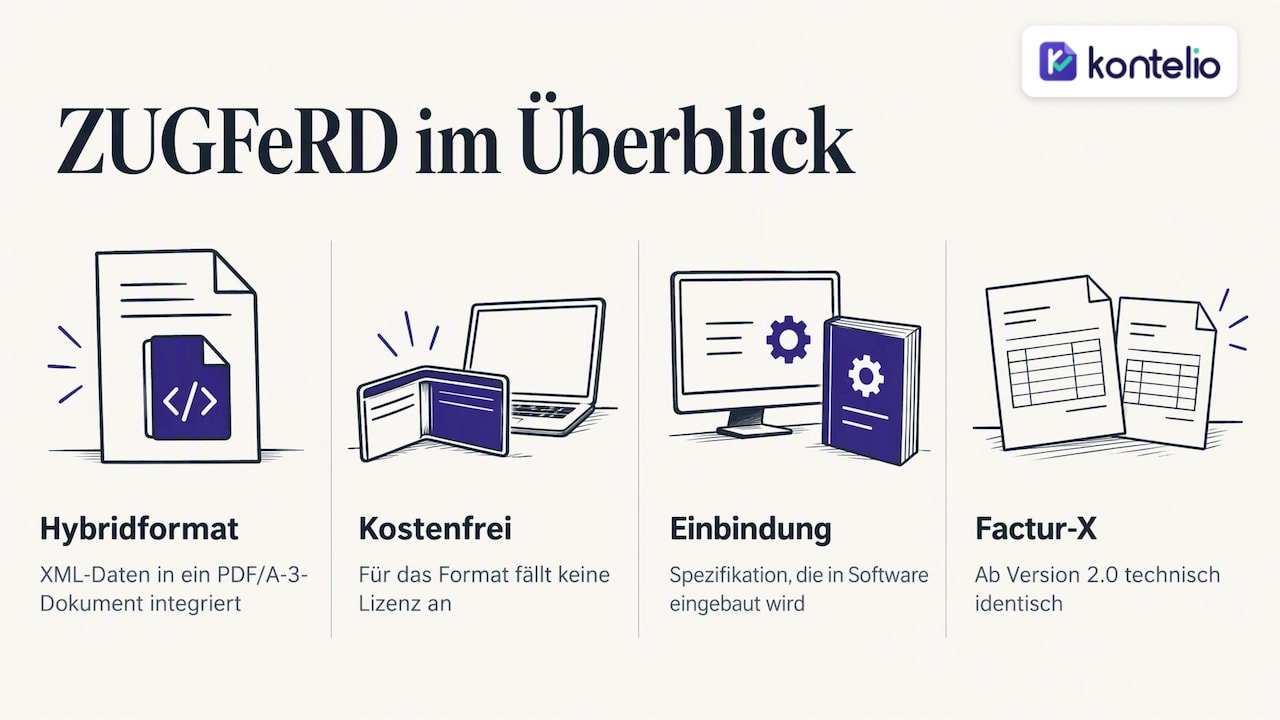
Behind the name is the Forum elektronische Rechnung Deutschland (FeRD, Forum for Electronic Invoicing Germany), an alliance of associations, ministries and companies that publishes and maintains the standard. According to FeRD, ZUGFeRD is a freely available, cross-industry hybrid data format that integrates structured invoice data in XML format into a PDF document according to PDF/A-3. So you do not pay any licence for the format itself.
Important for understanding it: ZUGFeRD is not a program that you install. It is a specification, i.e. a precise description of what the file must look like. According to FeRD, it has to be built into your own software, for example an ERP system, an EDI system or custom software. For self-employed people, this means in practice: your invoicing software must support ZUGFeRD, and then you simply click “Create invoice” as before.
Technically, ZUGFeRD is based on the European standard EN 16931. This standard defines which data an electronic invoice in the EU contains and what they are called. Since version 2.0, ZUGFeRD has also been technically identical to the French format Factur-X, which FeRD develops further together with its French partner forum FNFE-MPE. A ZUGFeRD invoice from Hamburg can therefore also be processed without any problems by a customer in Lyon.
According to FeRD, the format is used for transactions between businesses (B2B), with private customers (B2C) and, in Germany, also for invoices to public administration (B2G).
Is a ZUGFeRD invoice just a PDF?
No, and this is exactly where the most common misconception lies. An invoice that you write in Word and save as a PDF is, by today's understanding, not an E-Rechnung but a “sonstige Rechnung” (other invoice). A ZUGFeRD file looks like a PDF, but additionally contains an XML attachment. FeRD makes clear that this structured XML part takes precedence for automated processing. The PDF is the view for humans, the XML is the actual data for machines.
What PDF/A-3 means
PDF/A is a variant of the PDF format intended for long-term archiving: fonts are embedded, and the file will look exactly the same in ten years as it does today. Version A-3 additionally allows any files to be embedded in the PDF. ZUGFeRD uses precisely this feature to include the XML. A normal PDF or an older PDF/A variant is therefore not sufficient.
How to recognise a ZUGFeRD invoice
Open the file in a common PDF reader and look in the sidebar for attachments (usually a paper clip icon). With current ZUGFeRD versions, you will normally find a file called factur-x.xml there; with older versions it often has “zugferd” in its name. If there is no such attachment, you are holding an ordinary PDF. However, this does not yet tell you whether the XML is error-free: that requires a check (validation) in your software or with a validation tool.
Profiles and versions at a glance
ZUGFeRD exists in several versions. The first appeared in 2014, since 2.0 the format has been identical to Factur-X, and the current version is 2.4. According to FeRD, ZUGFeRD 2.4 comprises five profiles, each with its own XSD and Schematron validation files that have been adapted to EN 16931. The profiles differ in how much data is contained in the XML.
| Profile | Data scope | Suitable as an E-Rechnung in Germany? |
|---|---|---|
| MINIMUM | Header data only, such as invoice number, date, total amount | No, mandatory details are missing |
| BASIC WL | Header and total data, no invoice line items | No, mandatory details are missing |
| BASIC | Header data plus simple invoice line items | Yes, for simple invoices |
| EN 16931 (formerly COMFORT) | Complete data set according to the European standard | Yes, the usual standard |
| EXTENDED | Additional fields for complex industry cases | Yes, for special cases |
The two smallest profiles were intended as an entry point: there, the PDF carries the complete invoice, while the XML contains only an excerpt. But because the XML is decisive for an E-Rechnung, they are not sufficient for German business invoices. For self-employed people and small businesses, EN 16931 is the safe choice because practically every recipient's software can process it. In addition, there is a profile that generates XML according to the rules of the XRechnung (German e-invoice format), for cases where a client requires exactly that.
ZUGFeRD or XRechnung: the difference
Both formats comply with EN 16931 and are considered an E-Rechnung in Germany. They differ mainly in their form.
| Feature | ZUGFeRD | XRechnung |
|---|---|---|
| File form | PDF/A-3 with embedded XML | Pure XML file |
| Readable by humans | Yes, directly as a PDF | Only with a viewer or software |
| Typical use | B2B, also internationally (Factur-X) | Invoices to public authorities, increasingly B2B |
| Advantage for small businesses | Customers without e-invoicing software still see a normal invoice | Lean, often explicitly required by public authorities |
Many public authorities require the XRechnung, often via a portal or the Peppol network. In business with other companies, ZUGFeRD is popular because the recipient gets a familiar invoice even without new technology. We explain in detail how the formats and Peppol work together in our guide to XRechnung, ZUGFeRD and Peppol.
When ZUGFeRD becomes mandatory for you
Strictly speaking, no law prescribes ZUGFeRD. What is mandatory is the E-Rechnung, and ZUGFeRD from the EN 16931 profile upwards is a permitted form of it, just like the XRechnung. The most important points:
- Receiving: Since 1 January 2025, domestic businesses must be able to receive E-Rechnungen. This also applies to Kleinunternehmer (small business owners under § 19 UStG). An email inbox is sufficient for receiving, but you must be able to read the file and retain it properly.
- Sending: Transition periods until 2027 or 2028 apply to issuing invoices, depending on the previous year's turnover. During this time, paper and PDF invoices are still possible under certain conditions. We have compiled the stages and thresholds in our guide to the E-Rechnung obligation 2025, 2027 and 2028.
- Private customers: There is no E-Rechnung obligation for invoices to consumers. However, ZUGFeRD does no harm here, because the customer sees a normal PDF.
If you are unsure whether your turnover falls under a transitional rule or whether your services trigger special cases, clarify this with your tax advisor before you switch your invoicing.
Requirements for a ZUGFeRD invoice and retention
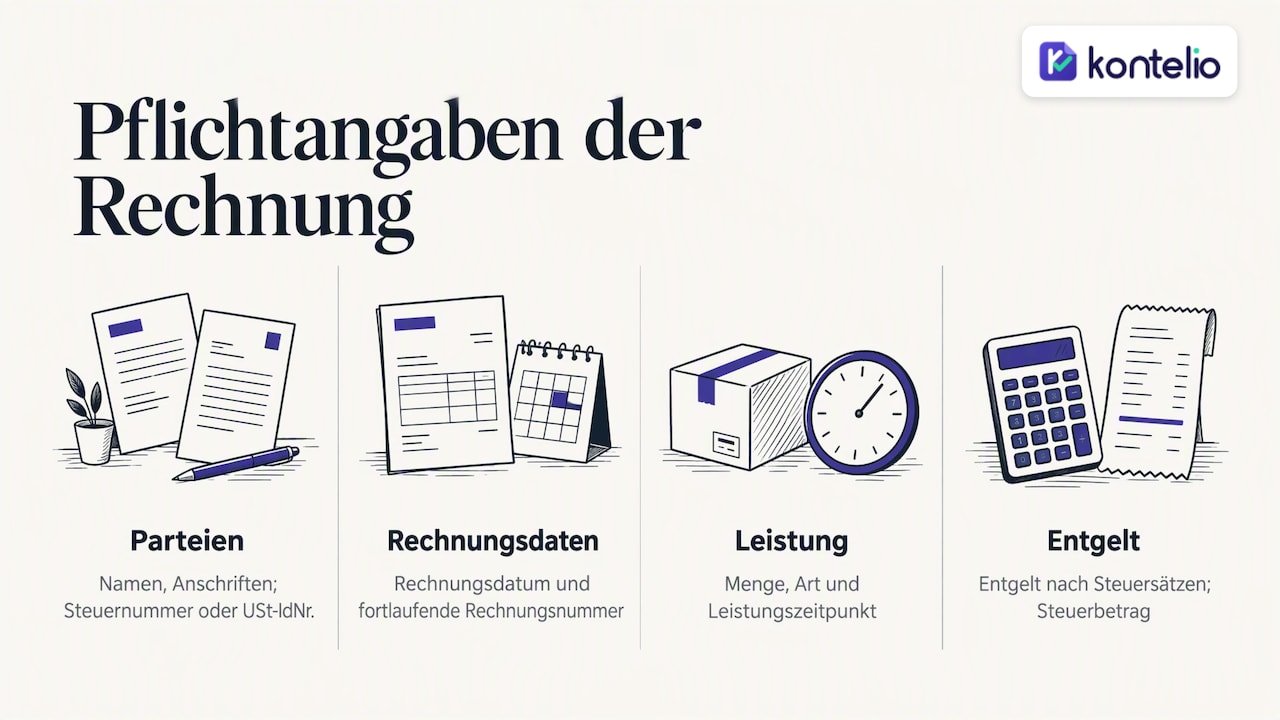
For Umsatzsteuer (VAT) purposes, a ZUGFeRD invoice is a perfectly normal invoice. According to FeRD, the PDF and XML must meet the requirements of § 14 Abs. 4 UStG and be copies of the same invoice with identical content. So the same mandatory invoice details apply as always: name and address of both parties, Steuernummer (tax number) or USt-IdNr. (intra-EU VAT identification number), invoice date, sequential invoice number, quantity and type of service, date of supply, net amount broken down by tax rate, tax amount. You can find the complete list with examples in our article on the mandatory details when writing invoices, and for Kleinunternehmer in the article on the Kleinunternehmer invoice.
“Identical content” is the tricky point. If the PDF shows a discount that is missing in the XML, or if the tax amount differs by one cent, you have created two different invoices. The tax administration does not prescribe any specific technical checks for this. According to FeRD, responsibility lies with the invoice sender and recipient to set up their own checking mechanisms. You are safest if the PDF and XML are generated from the same data in one step, instead of subsequently “loading” a finished PDF with XML.
For retention, FeRD specifies a period of eight years for invoices. Printing and filing is not permitted for E-Rechnungen: they must be archived electronically in their original format and in a machine-readable way. The IHK München points out that the invoices must be stored in XML format for this purpose. For ZUGFeRD, this means: store the complete file with embedded XML unchanged. You can read which periods apply to which documents in our overview of GoBD (principles for proper electronic bookkeeping) and retention periods.
Creating a ZUGFeRD invoice: step by step
You need three things: software that generates ZUGFeRD in the EN 16931 profile, complete master data and a way to check the result. This is how it works:
- Enter complete master data. Your own address, Steuernummer or USt-IdNr., bank details and the customer data. Missing fields are the most common reason why a validation fails.
- Define the profile. Choose EN 16931 as the default. EXTENDED only if a customer requires additional fields; the XRechnung profile or a pure XRechnung if a public-sector client demands it.
- Write the invoice as usual. Line items, quantities, unit prices, tax rates, date of supply. The software calculates the totals and tax.
- Add customer details. Many companies specify an order number or reference. Enter it in the field provided so that it also appears in the XML.
- Generate and check the file. The software creates the PDF/A-3 and XML from the same data and validates the XML against the rules of the profile.
- Send it. Usually by email as an attachment. Send the original file, not a printout or a re-saved export.
- Archive it. Store the sent file unchanged and retrievable for the entire retention period.
If you write many similar invoices, you benefit from generating the invoice directly from existing transaction data instead of retyping every line item. This article on automatically generating invoices from bookings shows how this can be set up in practice. Structured formats such as ZUGFeRD are made precisely for such end-to-end processes.
What a ZUGFeRD sample invoice looks like
Visually, a ZUGFeRD invoice is no different from your previous invoice: logo, addresses, line item table, totals, payment terms. The difference lies in the attachment. There, the same details appear as labelled data fields. In simplified form, this corresponds roughly to the following mapping:
| Detail on the PDF | Counterpart in the XML (simplified) |
|---|---|
| Invoice number 2026-0147 | Document identifier |
| Invoice date 26.10.2026 | Issue date |
| Service: web design, 12 hrs at €85.00 | Invoice line item with quantity, unit, unit price |
| Net €1,020.00, VAT 19 % €193.80 | Tax category, tax rate, tax amount |
| Total amount €1,213.80 | Amount payable |
| IBAN, payment term 14 days | Payment details |
The values in this example are chosen at random. FeRD provides official sample invoices for each of the five profiles in the respective release package. They are primarily intended for software developers, but are also useful for taking a look inside a real ZUGFeRD file.
How to recognise good ZUGFeRD software
For creating and receiving invoices, there are roughly three types of solutions: free online generators for individual invoices, invoicing and accounting programs for self-employed people and small businesses, and large ERP systems for companies with their own IT. Generators are sufficient for occasional individual invoices, but solve neither archiving nor receiving. ERP systems are oversized for most small businesses. In between lies accounting software that connects invoices, supporting documents, archive and tax in a single workflow.
Check every solution against these criteria:
- EN 16931 profile: Does the software generate ZUGFeRD in a profile that counts as an E-Rechnung, and not just MINIMUM or BASIC WL?
- XRechnung as well: Can you also generate a pure XRechnung if needed?
- One data set, two representations: Are the PDF and XML created from the same data?
- Validation: Does the software check the XML before sending?
- Receiving: Can it read incoming ZUGFeRD and XRechnung files and display them clearly?
- Archive: Are original files retained unchanged and in compliance with the GoBD?
- Further processing: Does the data flow into the EÜR (cash-basis income/expense statement) and the Umsatzsteuer-Voranmeldung (UStVA, periodic advance VAT return), rather than you having to retype it?
You can find a detailed comparison by criteria in our guide to choosing accounting software. Our E-Rechnung checklist helps you tick off the switchover point by point.
Our view: ZUGFeRD is the friendliest E-Rechnung for small businesses
Every day we talk to self-employed people and founders who flinch at the word “XML”. Our experience: the worry is usually bigger than the task. ZUGFeRD is a good starting point precisely because your customer continues to receive an invoice they can read, check and pay, even if their own accounting is not that far yet. At the same time, with the right profile you already meet today the requirements that will come your way when the transition periods end.
The mistake we see most often is not a technical one but an organisational one: invoices are written in one program, supporting documents collected in a second and taxes prepared in a third. At every handover, the PDF and the data can drift apart. That is why we built Kontelio so that invoices, expenses, archive, EÜR and Umsatzsteuer are based on the same data and the tax return goes out directly via ELSTER (official e-filing portal). And because many of our users do not think in German when they do their sums, Kontelio can be used in the language in which you feel confident. The invoice itself remains formally correct.
Our advice: do not wait to switch until the deadline is pressing. Write your next invoices as ZUGFeRD already, and you will have the switchover behind you before it becomes mandatory.
— Paulo
ZUGFeRD invoices with Kontelio
With Kontelio, you create E-Rechnungen as ZUGFeRD and XRechnung directly from your invoice data, archive supporting documents in a legally compliant way and get reminders of deadlines. You can also capture incoming receipts by photo, and from all of this the EÜR and Umsatzsteuer-Voranmeldung are produced, which you submit via ELSTER.
You can test Kontelio free of charge for 30 days without a credit card. After that, the Start plan begins at €9.90 per month or €99 per year, Business costs €22.90 per month or €199 per year, Pro €32.90 per month or €299 per year. All details are on our pricing page, and the features for electronic invoices on the page about our E-Rechnung software.
Frequently asked questions about ZUGFeRD
May I send a ZUGFeRD invoice to customers who do not process E-Rechnungen?
Yes. The recipient opens the file like any PDF and sees a complete invoice. Their program simply ignores the XML attachment. This makes ZUGFeRD the most straightforward form of E-Rechnung for mixed customer groups.
Can I convert a normal PDF into ZUGFeRD afterwards?
Not in any sensible way. A tool would have to extract the data from the PDF, and this easily leads to discrepancies between the PDF and XML. It is better to create the invoice from the outset in software that generates both parts from the same data.
Is it enough to print out and file the ZUGFeRD invoice?
No. E-Rechnungen must be retained electronically in their original format and in a machine-readable way. The printout does not contain the XML and therefore does not replace the file.
Which ZUGFeRD profile should I choose?
For most self-employed people and small businesses, EN 16931 (formerly COMFORT) is the right one. It contains all mandatory details and is processed by practically every recipient's software. MINIMUM and BASIC WL are not sufficient for German E-Rechnungen.
Is ZUGFeRD the same as Factur-X?
Since version 2.0, yes; technically, both are identical. ZUGFeRD is the German name and Factur-X the French name of the same format, which both national forums develop further together.
Sources
- FeRD: ZUGFeRD/Factur-X
- FeRD: Frequently asked questions about ZUGFeRD
- FeRD: ZUGFeRD 2.4 German
- IHK München: Electronic invoice
Recommendations
This article was machine-translated from German. Only the German version is authoritative.