E-invoicing
Set the default format of your invoices, the seller contact, the allowed senders and the inbox address for e-invoices.
Under E-invoicing you set the format in which Kontelio issues your invoices and how your suppliers' e-invoices arrive by e-mail. You also see from when the e-invoicing obligation applies to your business.
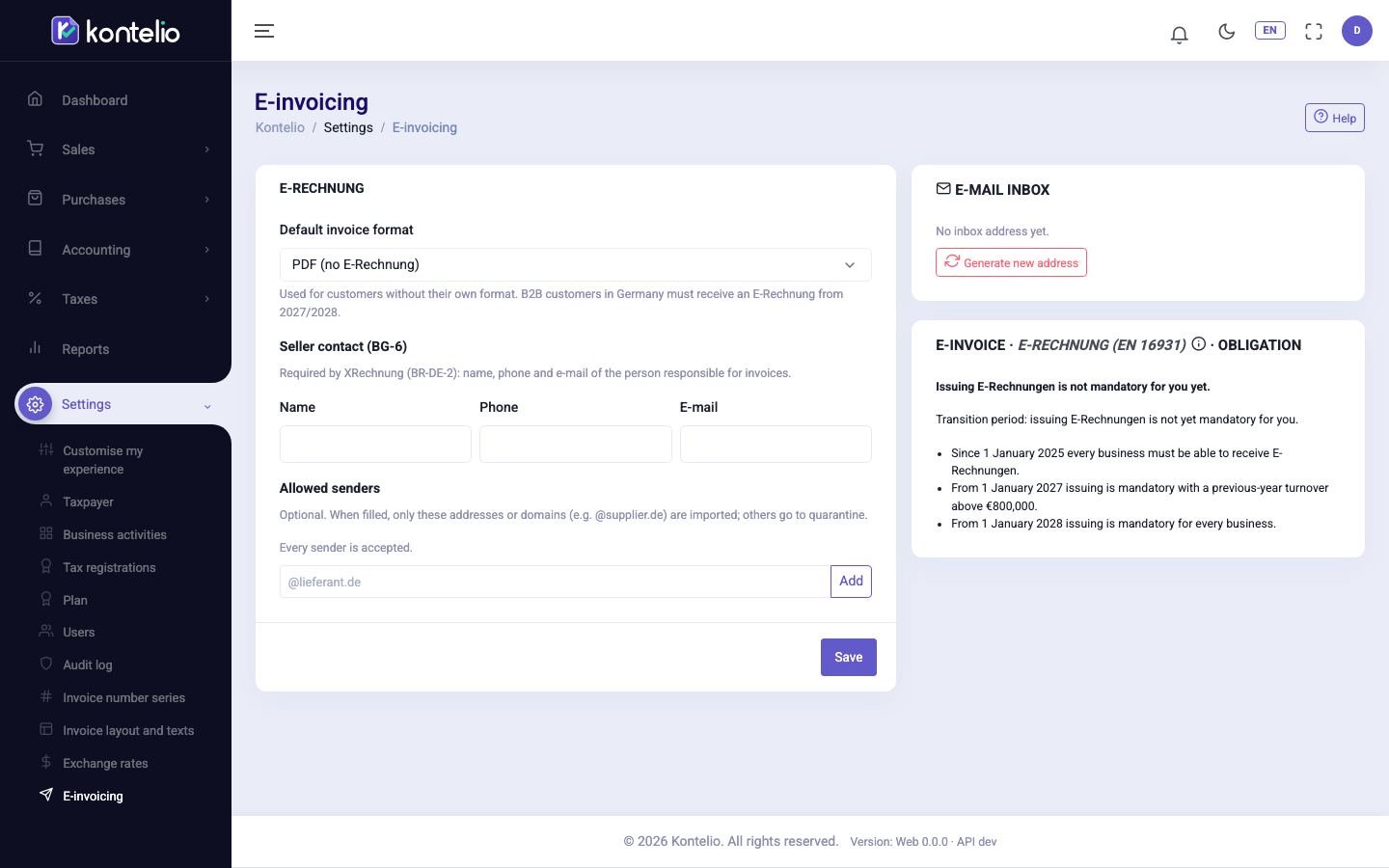
Change the settings
- Choose the Default invoice format.
- Under Seller contact (BG-6), enter Name, Phone and E-mail of the person responsible for invoices in your business.
- If needed, enter an e-mail address or a domain with @ under Allowed senders, for example
@supplier.de, and click Add. The × on an entry removes it again. - Click Save.
| Field | Meaning |
|---|---|
| Default invoice format | PDF (no E-Rechnung), ZUGFeRD (EN 16931), XRechnung (CII) or XRechnung (UBL). Applies to all customers without their own format; you can change it in the customer and in each invoice. |
| Seller contact (BG-6) | Required in an XRechnung (rule BR-DE-2). Without it, no XRechnung can be issued. |
| Allowed senders | Optional. If the list is empty, e-mails from all senders are accepted. As soon as it has entries, Kontelio only imports e-mails from these senders; all others end up in quarantine. |
The inbox address
The card E-mail inbox shows the e-mail address through which e-invoices arrive automatically in E-invoices. Copy copies it so you can give it to your suppliers or set up a forwarding rule.
If the address has fallen into the wrong hands or you receive spam, click Generate new address.
Your e-invoicing obligation
The card Obligation shows whether you already have to issue e-invoices and gives the reason, for example your prior-year turnover compared with the threshold.
Good to know
- Viewing and changing the settings are separate permissions; without the change permission Save is missing. Only administrators may create a new inbox address.
- Whether an e-invoice would be valid you check in an invoice draft under Check E-Rechnung.
- In the simplified mode you find these settings as the tab E-invoice under Invoices and documents.