Invoice number series
Set the format and starting value of invoice numbers per activity, document type and year.
Under Invoice number series you decide what your invoice numbers look like. For invoices and for credit notes, each activity has its own number series, which normally starts again at 1 every year. Kontelio assigns the numbers itself when an invoice is issued, without gaps or duplicates.
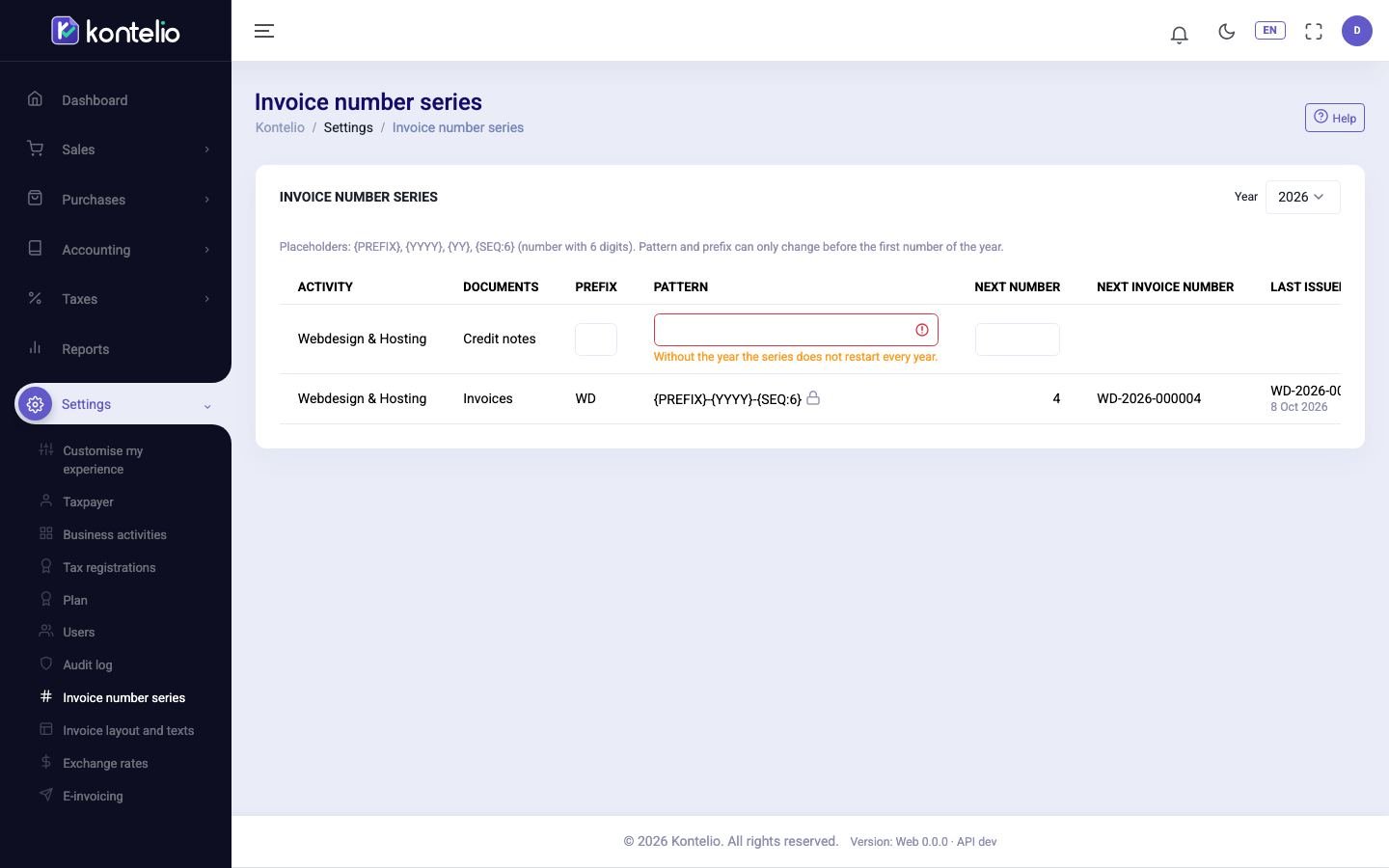
Read the overview
Choose the Year at the top. For each activity and each document type (Invoices, Credit notes) you see:
| Column | Meaning |
|---|---|
| Prefix | Short code of the activity, for example SW for software development. Without a prefix of its own Kontelio uses RE. |
| Pattern | How the number is built from placeholders (see below). |
| Next number | The sequence number the next invoice will get. |
| Next invoice number | What the complete next number will look like. |
| Last issued | The last number issued, with its date. |
The padlock next to the format means: Locked: numbers were already issued this year.
Change the format and starting number
This is only possible as long as no number has been issued in the year, so ideally before the first invoice of the year.
- Click Edit in the row.
- Change Prefix, Pattern or Next number. Next to it you immediately see what the next number will look like.
- Click Save.
These placeholders are available in the format:
| Placeholder | Replaced by |
|---|---|
{PREFIX} | the prefix of the row |
{YYYY} | the year, four digits (2026) |
{YY} | the year, two digits (26) |
{SEQ:6} | the sequence number, padded with zeros to 6 digits (000007); the figure sets the number of digits |
The default format {PREFIX}-{YYYY}-{SEQ:6} gives, for example, SW-2026-000007; for credit notes it is {PREFIX}-S-{YYYY}-{SEQ:6}. A format must contain {SEQ}. A series with the year in its format starts again every year; the year cannot be removed from its format.
Good to know
- A number series is stored with the first invoice of an activity in the year. Choose earlier years at the top to see which number was issued last.
- New number series take the invoice prefix of the activity, which you maintain under Business activities.
- Everyone with read access to the tax settings can see the page; only users who may also manage these settings can change it.
- In the simplified mode you find this page under Invoices and documents, on the Numbering tab.