Periods
Review, close and lock the months of a financial year so that figures you have already reported can no longer change.
Under Periods you control which months can still be posted to. Each month of a financial year is a period with its own status. Once you have finished a month and, for example, filed the VAT return for it, this is how you protect it from accidental changes.
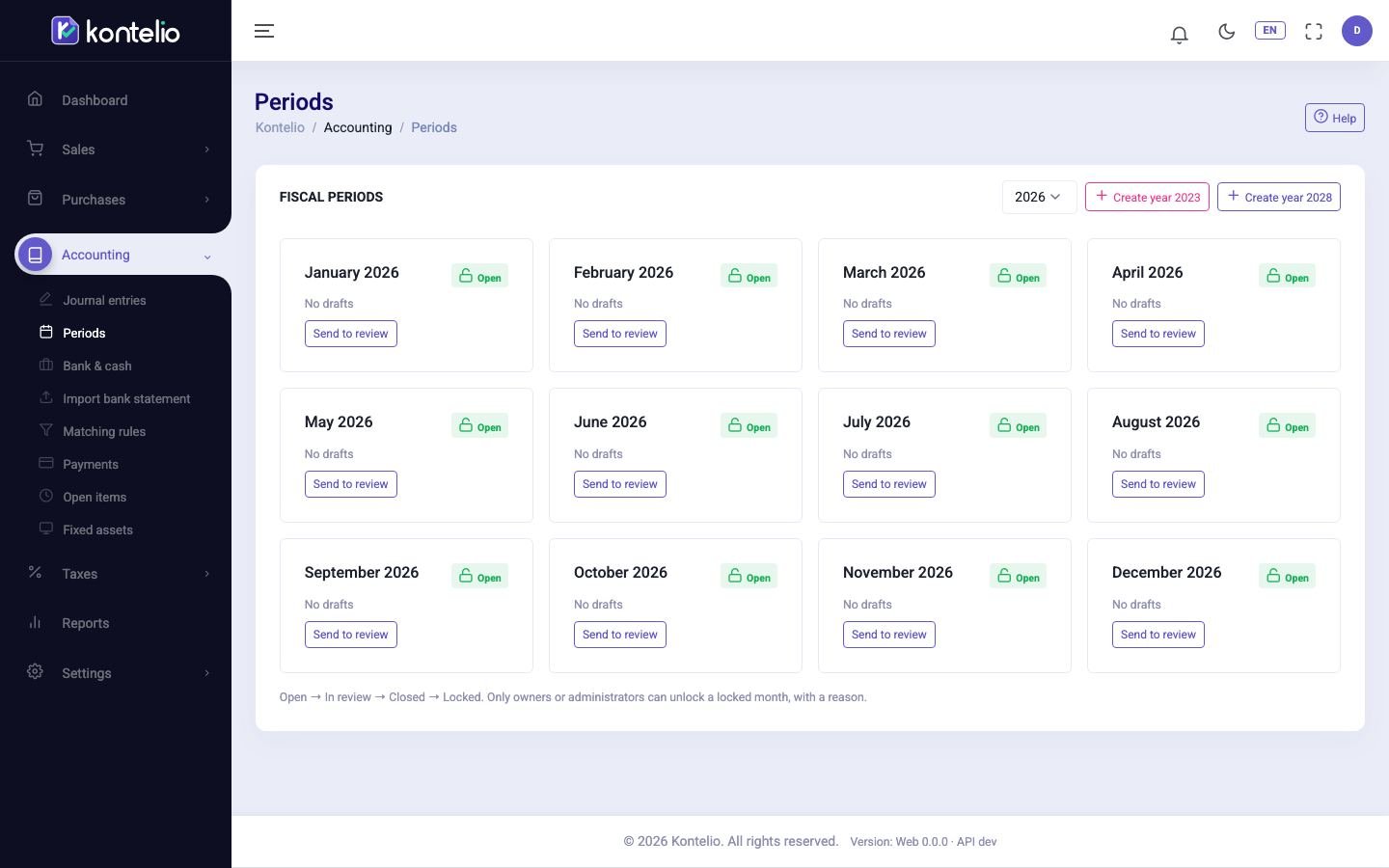
Change the status of a month
Choose the Fiscal year at the top. Each card shows one month and its status. The buttons on the card lead to the next step:
- Send to review: the month is being reviewed. You can keep posting, but Kontelio adds a notice to every entry.
- Close: the month is finished.
- Lock: the month is locked for good. Kontelio asks once more beforehand.
With Reopen you go back one step from In review or Closed.
Statuses
| Status | What is possible |
|---|---|
| Open | Posting without restriction. |
| In review | Posting is possible; every entry gets a notice. |
| Closed | Posting only after explicit confirmation and only with the corresponding permission. The entry is marked Posted into a closed period. |
| Locked | No posting with a date in this month, not even from invoices, expenses or payments. |
Unlock a locked month
- On the card of the month, click Unlock.
- Enter a reason and confirm.
The month is then Closed again. The reason is recorded in the Audit log. Only owners and administrators may unlock.
Create a new financial year
Click the button for creating the next year next to the year selection. Kontelio creates the twelve months with the status Open. Without a financial year nothing dated in that year can be posted.
Good to know
- A month can only be locked once no earlier month of the same year is still open.
- What counts is always the posting date of an entry, not the document date.
- When you finalise a VAT return or an EC Sales List, Kontelio closes the months concerned automatically; the annual VAT return locks them.
- Viewing, changing the status and unlocking are separate permissions. If you lack one, you don't see the buttons.