Open receivables
All unpaid invoices at a glance, with due date, days overdue and total.
The Receivables menu item shows which customers still owe you money. It opens the Open items page from Accounting directly on the To receive tab. From here you can also record incoming payments for several invoices at once. The other tabs are described in Open items.
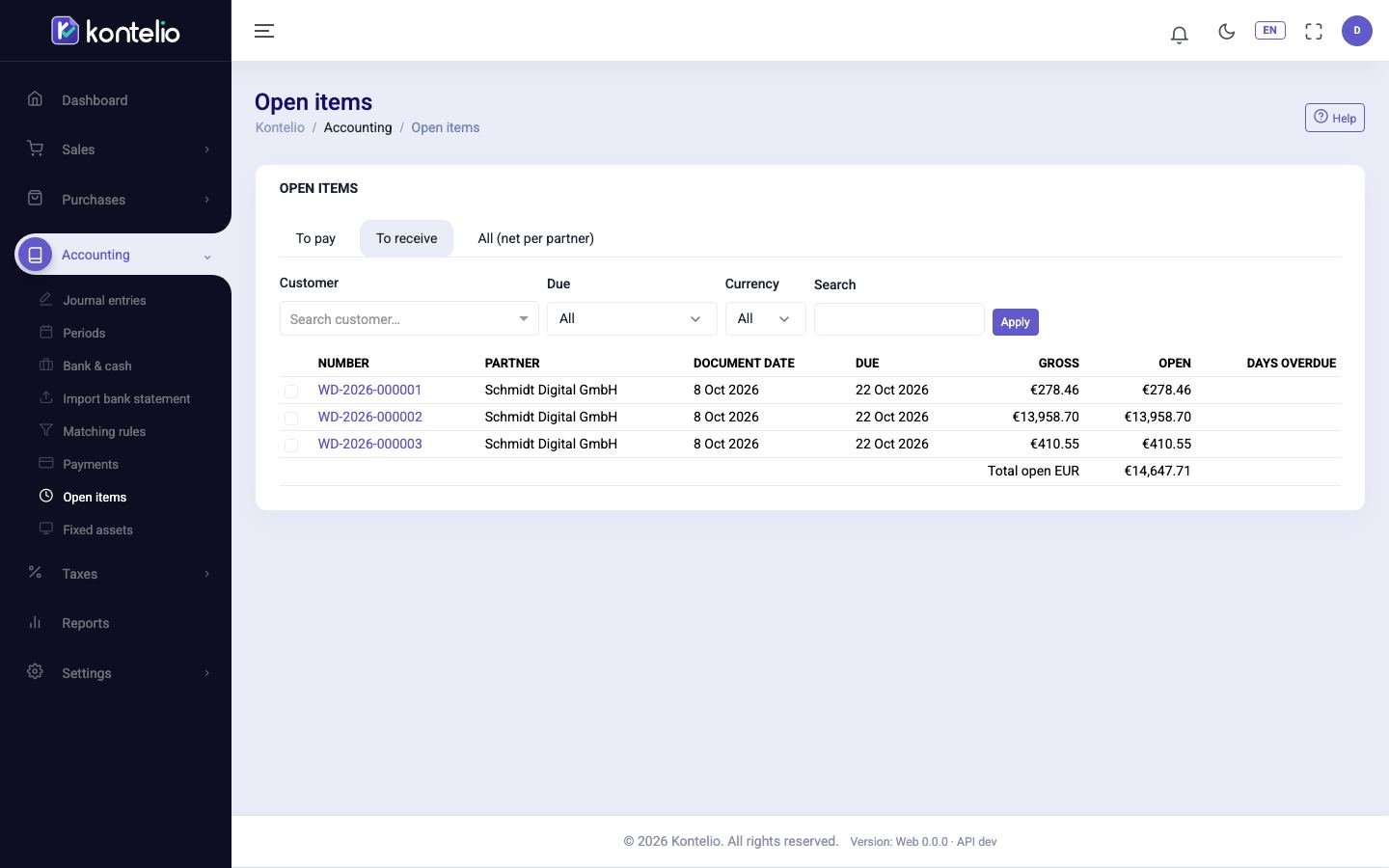
Find open invoices
- If needed, choose a Customer or an Activity.
- Narrow down under Due: Not yet due, Overdue or Due within N days. With the last option, enter in the Days field how far ahead you want to look.
- Choose a Currency or enter a number or name under Search.
- Click Apply.
Each row shows the invoice number, customer, activity, document date, due date, gross amount and the Open amount. Overdue invoices are marked, and the Days overdue column shows how many days the payment has been outstanding. Click the number to open the invoice.
At the bottom of the table, Total open shows the total per currency; for foreign currencies also the equivalent in euros.
Record an incoming payment
- Tick the invoices a customer has paid. All ticked invoices must belong to the same customer.
- Click the green button at the top for recording the incoming payment. It shows the number of invoices ticked.
- The Register receipt editor opens with the customer and the invoices. Choose the payment account and date, check the amount received and post the payment.
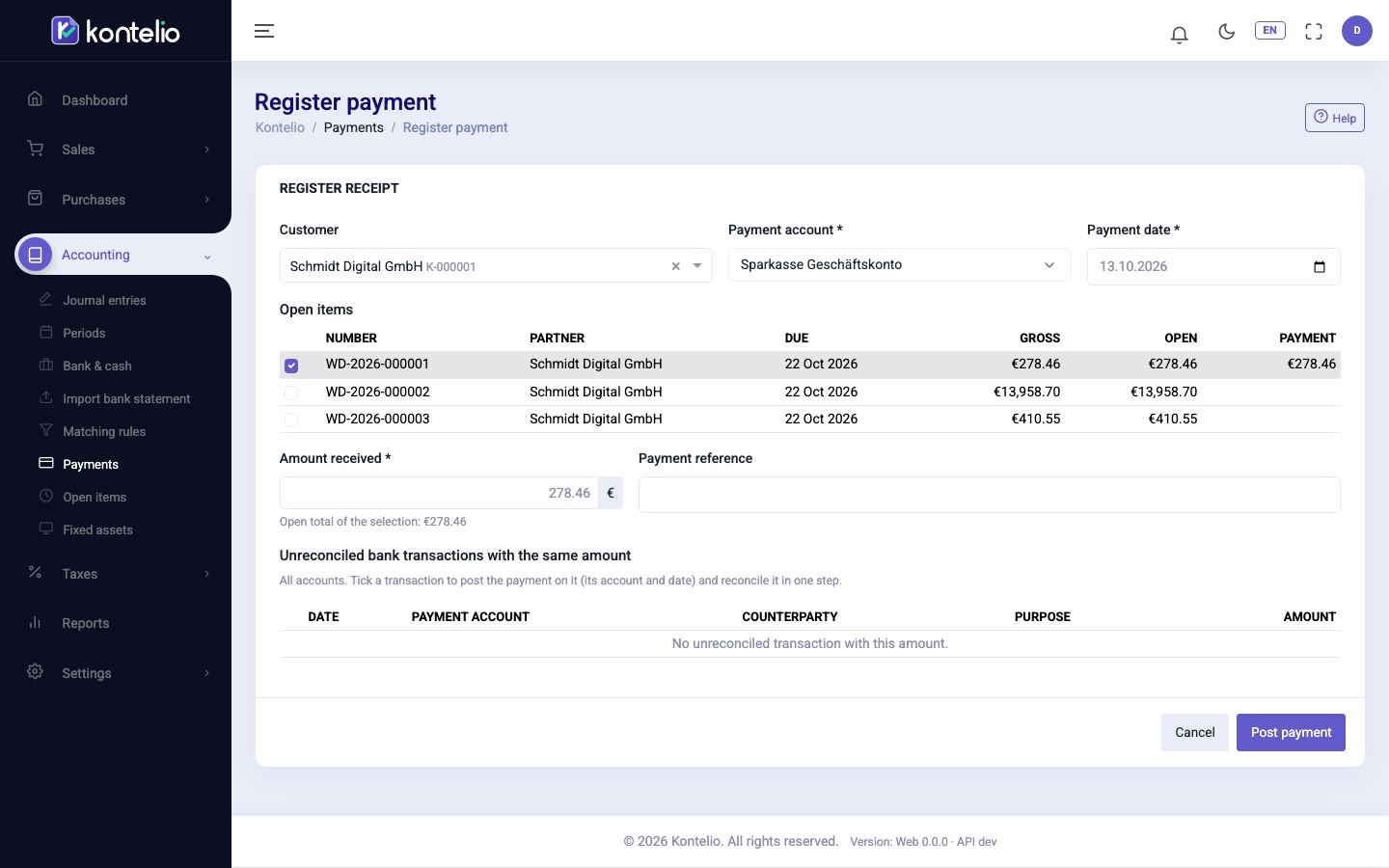
If the customer pays only part of several invoices, choose in the editor how the amount is split: Proportionally, By due date (oldest invoice first) or Manually. More about the editor in Incoming payments.
Good to know
- A credit note that you still have to refund to your customer also appears here, as a Credit note with a negative amount. It reduces the total.
- The list is built from the issued invoices and the matched payments. If an invoice has been paid but is still listed here, the payment has not been matched.
- On the All (net per partner) tab you see, for each business partner, receivables and payables offset against each other — useful for customers who are also suppliers.