Investment deductions (IAB)
Create or import investment deductions under § 7g EStG, assign them to assets, track deadlines and reverse them.
Available in the plans: Business Pro
With an Investitionsabzugsbetrag (IAB) — an investment deduction — small businesses can deduct up to 50% of the cost of a planned purchase in a year before the investment (§ 7g EStG). Under Investment deductions (IAB) Kontelio keeps the register of these deductions per business: amount, use, remaining balance and investment deadline. The values flow from here into the Anlage EÜR — you do not enter them there again.
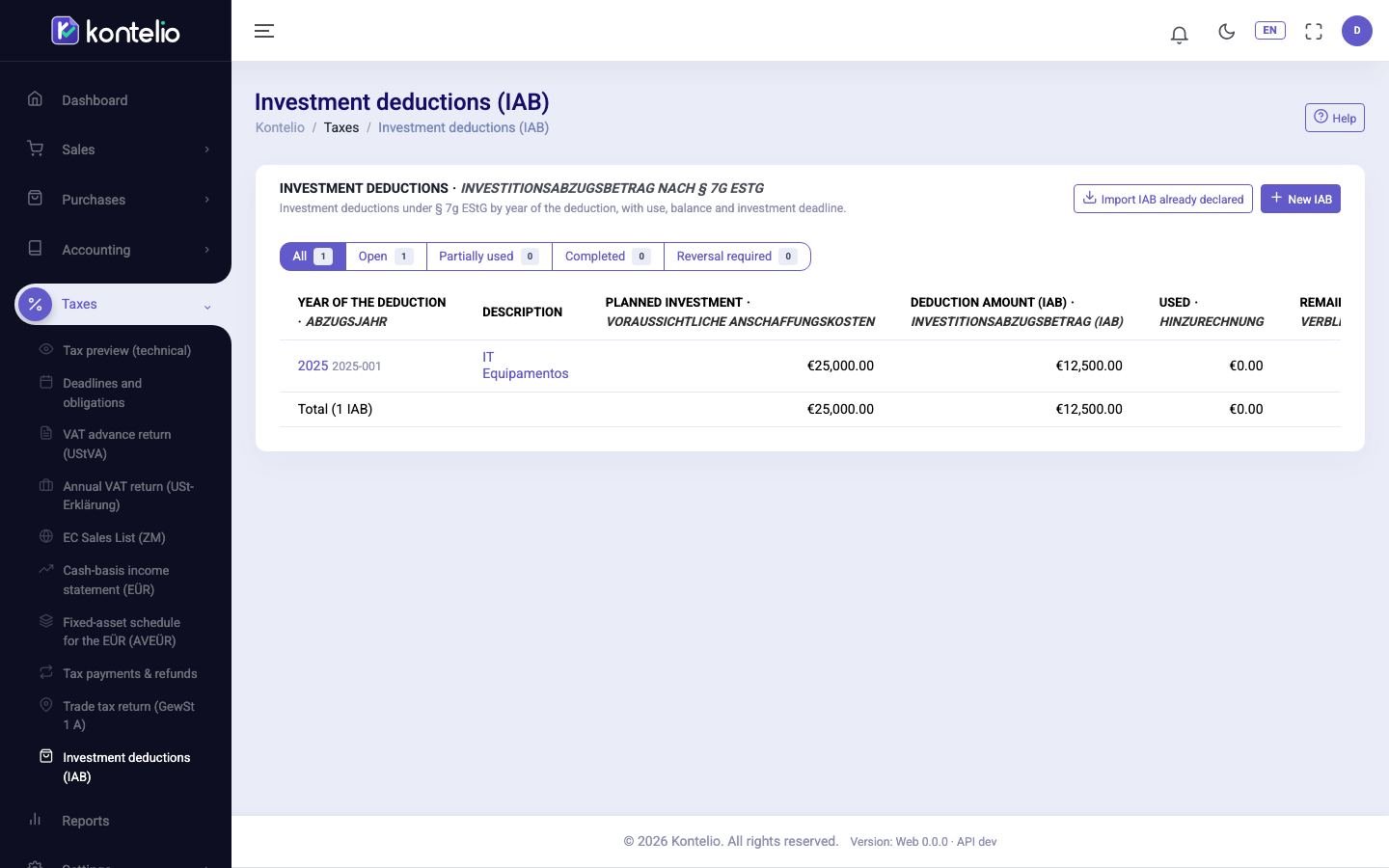
Read the register
Each row is one IAB with Year of the deduction, Deduction amount (IAB), Used, Remaining balance and Investment deadline. The buttons above the table filter by status, for example Open or Reversal required; the Business activity selector shows a single business. The totals are below the table.
If an IAB has to be reversed, or an asset may no longer meet the use condition, a notice with links to the entries concerned appears at the top.
Create a new IAB
- Click New IAB. A wizard guides you through the steps.
- Business and Year: choose the business and the year whose profit the deduction is to reduce. Only years whose investment deadline is still running are offered.
- Investment: enter the expected acquisition cost (net) of the planned assets.
- Amount: Kontelio shows the highest amount possible under the rules of that year. Accept it with Use the maximum or enter a lower amount.
- Description: describe what you plan to buy.
- Eligibility: Kontelio checks the maximum rate, the total limit per business and — if the profit of the year is already known — the profit limit.
- In Confirmation, click Create IAB.
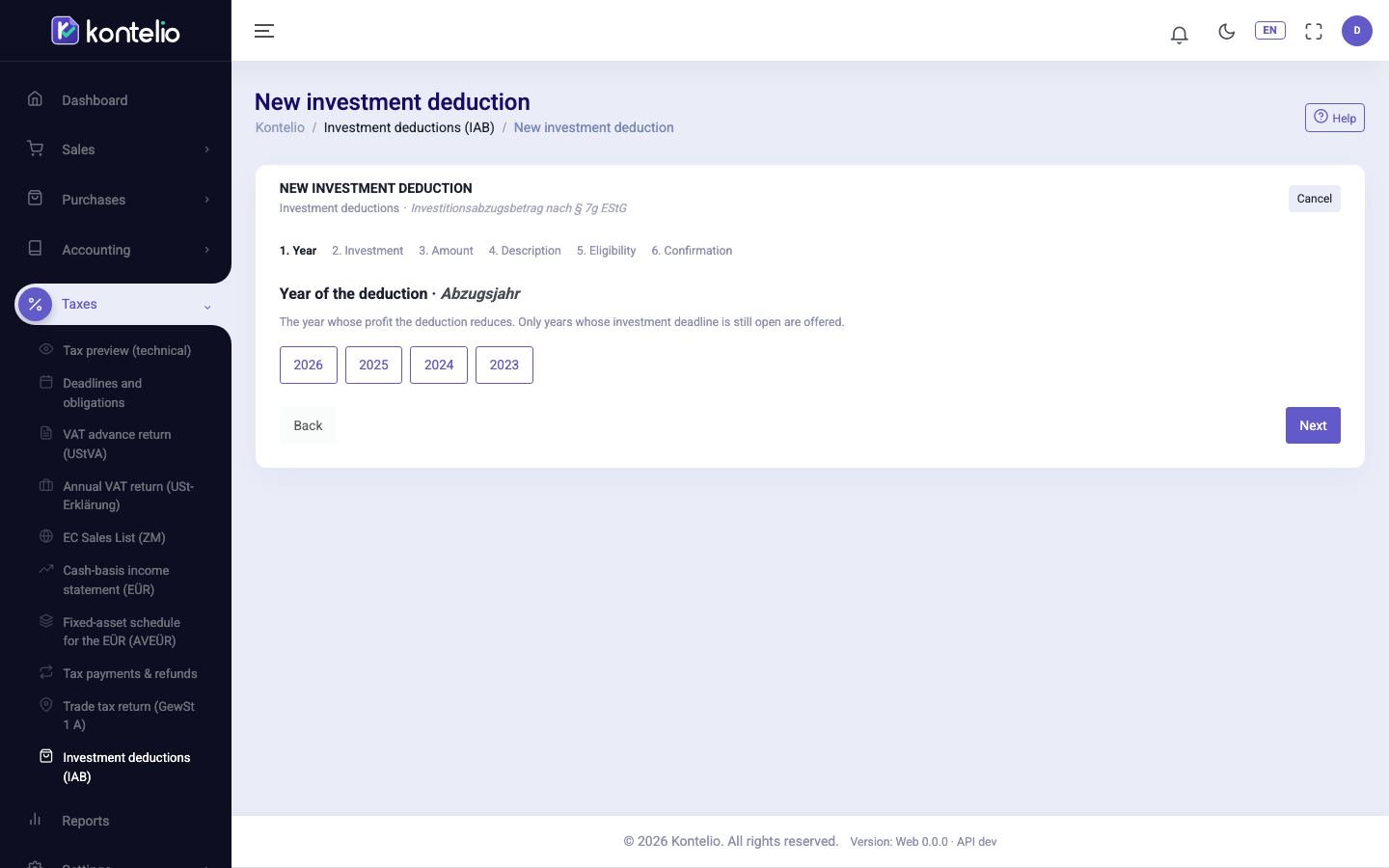
The IAB is saved as Draft and appears straight away in the preview of the Anlage EÜR of its year. It becomes Open as soon as you finalise that Anlage EÜR.
Import an IAB you have already declared
If you have already declared an IAB outside Kontelio, import it so that Kontelio keeps track of its remaining balance and deadline:
- Click Import IAB already declared.
- Fill in Year of the tax return, Amount originally declared and Balance still available.
- Check the suggested Investment deadline (31 December of the third year after the deduction year). Older deductions may have a different deadline; in that case enter the deadline from your tax assessment.
- Confirm This IAB was already included in a tax return that was filed. and click Import IAB.
Nothing is posted on import. If the deadline you entered has already passed and a balance is still open, the IAB immediately gets the status Reversal required.
Assign the IAB to an asset
When you make the planned purchase, create the asset under Fixed assets and save it. If the business has an IAB with a remaining balance, the Investment deduction available (IAB) section appears there:
- Choose the IAB and enter the Addition (Hinzurechnung § 7g Abs. 2 Satz 1 EStG) — at most 50% of the acquisition cost and at most the remaining balance.
- Choose whether you also apply the Herabsetzung der Anschaffungs-/Herstellungskosten (§ 7g Abs. 2 Satz 3 EStG). It lowers the basis for the AfA (depreciation); the original cost stays visible in the asset register.
- Under Use of the asset, state how the asset is used and confirm Used in a business establishment in Germany (Betriebsstätte) or rented out, until the end of the following year.
- Click Use the IAB for this asset.
It also works the other way round from the IAB, with Assign asset. One IAB can be spread over several assets; its status then changes to Partially used or Fully used. You undo an assignment with Reverse this use: the amount goes back to the IAB, the Herabsetzung is cancelled and the depreciation is replanned.
Deadlines and reminders
The investment deadline ends on 31 December of the third year after the deduction year. Kontelio reminds you 12 months, 6 months and 90 days beforehand and after the deadline has passed under Notifications — all members who are allowed to see IABs. If the deadline has passed and a balance is still open, Kontelio sets the IAB to Reversal required. Nothing is posted and no return is changed: you decide the next steps in the assistant.
Reverse an IAB
Open the IAB and click Reverse (Rückgängigmachung) or, if a Tax action required notice appears, Review the IAB (reversal assistant). The Reversal assistant (Rückgängigmachung) has five steps:
- Amount: the open remaining balance (§ 7g Abs. 3 EStG) or an asset that did not meet the use condition (§ 7g Abs. 4 EStG).
- Reason: for example Voluntary reversal before the deadline or Investment deadline passed.
- Affected years: which years and lines of the Anlage EÜR change and which finalised returns become out of date.
- Confirm: the open amount before and after.
- Correction: links to the Anlagen EÜR for which you create a corrected version.
Once the corrected return is done, Kontelio recognises this when you finalise the new version; you can also mark it with Correction done.
Use condition for assets
An asset with an IAB or a Sonderabschreibung (special depreciation) must be rented out or used (almost) exclusively for business in a Betriebsstätte — a business establishment — in Germany until the end of the year after its acquisition. Kontelio monitors this in the Use condition (§ 7g Abs. 4 / Abs. 6 Nr. 2) section of the IAB and of the asset. If the asset is disposed of during this period, its business use falls below 90% or the business establishment is no longer confirmed, Possible breach appears together with a notification. You decide: Confirm breach leads to the assistant, Not a breach asks for a reason. Without your confirmation, nothing is ever treated as a breach.
Statuses
| Status | Meaning |
|---|---|
| Draft | Created in Kontelio; the Anlage EÜR of the year is not finalised yet. Can be fully changed and deleted. |
| Open | Confirmed, not used yet. |
| Partially used | Part of it has been assigned to assets; a balance is still open. |
| Fully used | Fully used. |
| Reversed voluntarily | Reversed voluntarily before the deadline. |
| Reversal required | Deadline passed with an open balance: the reversal in the deduction year is pending. |
| Reversed | Reversed. |
Good to know
- Only drafts can be deleted. A declared IAB is never deleted; it is reversed.
- As soon as part of it has been used or reversed, the amount, year and business can no longer be changed; the description and the note still can. Every change is listed in the History.
- The limits apply per business: each activity under Business activities is a separate business.
- Viewing, creating and reversing are separate permissions.
- In simplified mode, the menu item is called Investment planning, and the tax area shows a card that leads to the wizard.