Open items
Keep track of unpaid invoices and supplier documents and pay them or record the incoming payment directly.
Under Open items you see everything that is not yet fully paid: invoices to your customers that you are still waiting for, and documents from your suppliers that you still have to pay. From here you record the payment in a few clicks.
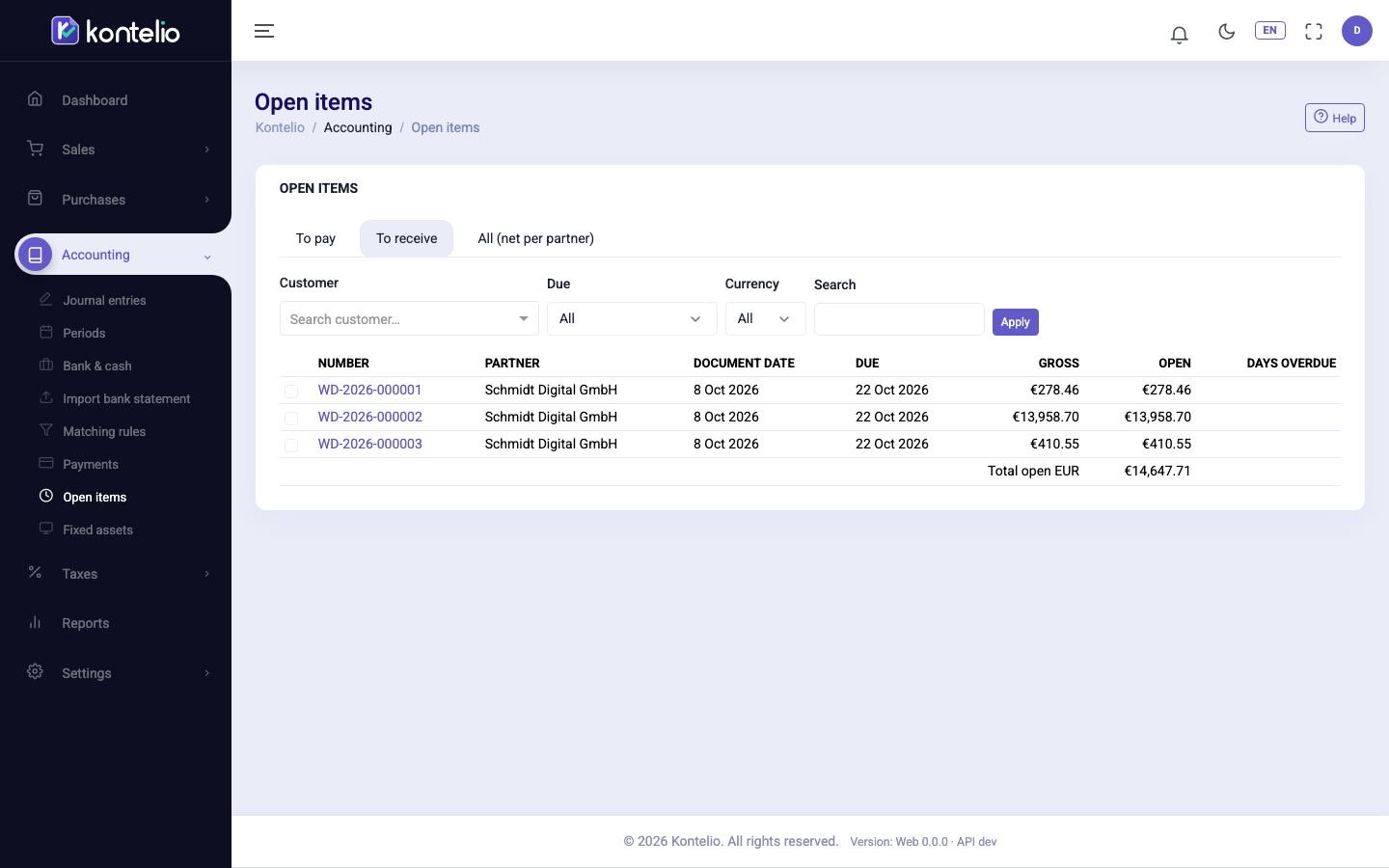
View open items
- Choose the tab: To pay (what you have to pay), To receive (what you will receive) or All (net per partner).
- Narrow the list if needed: by customer or supplier, Activity, Currency or with a term in Search.
- Under Due, choose for example Overdue. With Due within N days you enter the number of Days.
- Click Apply.
Overdue items carry the overdue badge, and the column Days overdue shows for how long. Below the table is the Total open per currency, for foreign currencies also in euros. Clicking the number opens the document.
Pay or record an incoming payment
- In the tab To pay or To receive, tick the items of one partner.
- Click the button that now appears at the top: Pay for payables, Record incoming payment for receivables. The number in brackets is the number of ticked items.
- The editor under Payments opens with partner, items and amount already filled in. Check account and date and post the payment.
Once an item is fully paid, it disappears from the list.
See the balance per partner
The tab All (net per partner) shows for every partner what they owe you and what you owe them, and from that the Net. This helps when a customer is also a supplier.
Good to know
- Credit notes to customers (Credit note) appear among the receivables with a negative amount: this is money you owe the customer.
- The filter Activity only appears if you have several activities.
- You see the status of individual invoices under Open receivables.
- In the simplified mode, a phone shows the items as cards, with their own buttons to pay or record the incoming payment.
- Only users with the permission to record payments can pay.