Reports
Analyse profit per activity, expenses by category and VAT.
Under Reports you find three analyses of your business: what you have earned per activity, what you spend your money on and how much VAT is due. The reports only read your data; they change nothing and have no tax effect.

Open a report
- In the overview, click a card, for example Profit by activity.
- Adjust the filters above the table. The report updates immediately with every change.
- CSV or XLSX downloads the table as a file. With large amounts of data, Kontelio prepares the export in the background; the download then starts by itself.
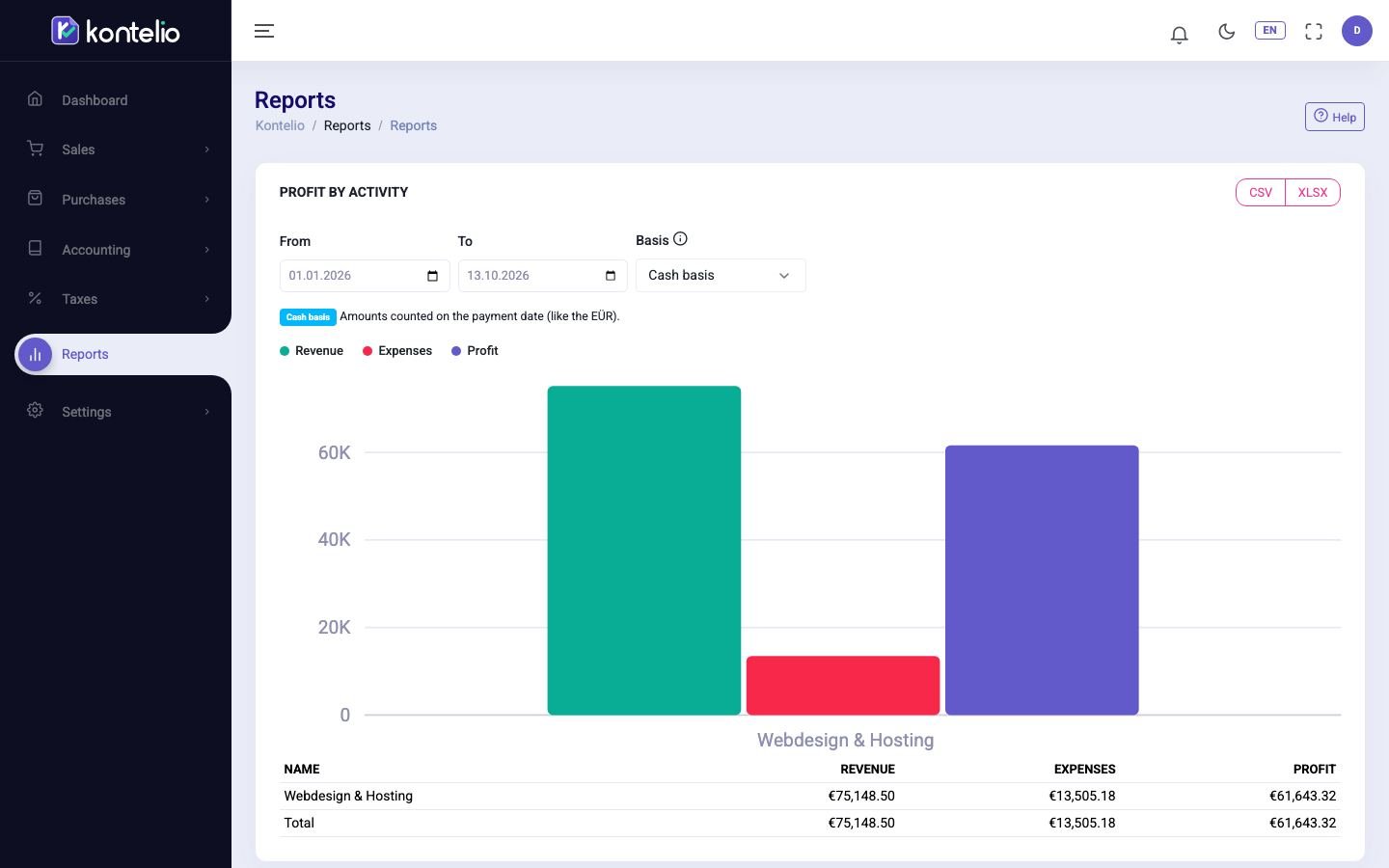
Kontelio remembers your filters for each report. The next time you open it, you see the same period again.
| Filter | Meaning |
|---|---|
| From / To | Period. The default is from 1 January of the current year until today. |
| Year | Calendar year for reports covering a whole year. |
| Basis | Cash basis: amounts count on the day of payment, as in the EÜR. Accrual basis: amounts count on the date of the invoice or document, even if not yet paid. |
For reports with Basis, the line below the filters states which basis was used.
The reports at a glance
| Report | What it shows |
|---|---|
| Profit by activity | Income, expenses and profit of each activity, by payment date by default. |
| VAT overview | Output VAT, input VAT and balance per return period, with the status of the return. |
| Expenses by category | Expenses by the categories you chose when recording them; expenses without a category are listed per account below. |
The Trade tax return (GewSt 1 A) card leads to the preview under Trade tax return.
Good to know
- Which reports you see depends on your rights: the financial reports need the right for financial reports.
Simplified mode
In simplified mode with a profile under Customise my experience, the overview first shows only the most important reports, with names such as My result for the year. Reports per activity are hidden if you have only one activity. Show all reports shows all reports again.