Journal entries
View the journal with all entries, reverse opening entries and enter opening balances.
Under Journal entries you see the journal of your bookkeeping: every entry Kontelio created from invoices, expenses, payments or depreciation. The journal is for looking things up; entries always come from the underlying document, not from here.
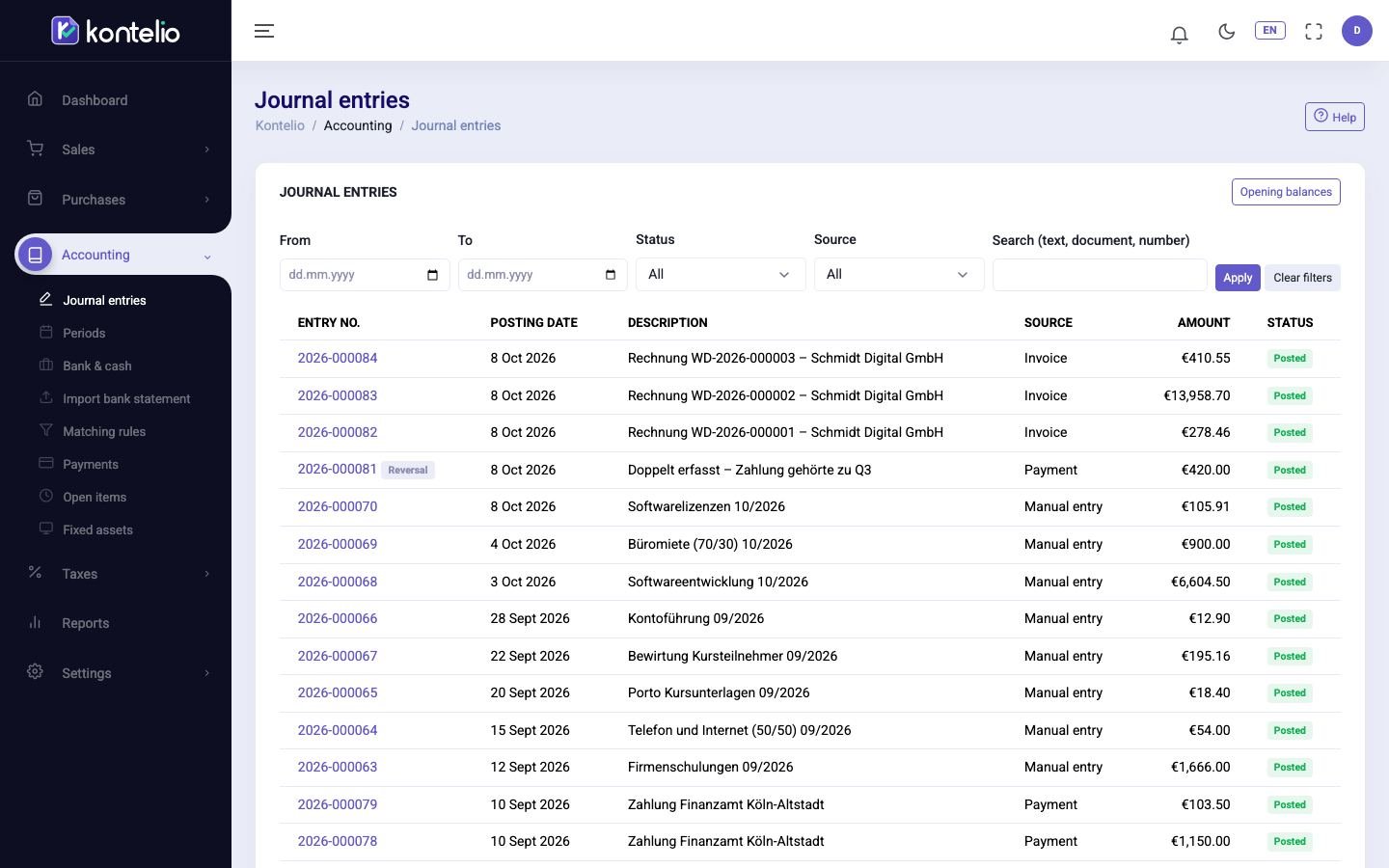
Find entries
- Narrow down the period with From and To.
- If needed, choose a value under Status, Source or Activity, for example the source Invoice.
- Type an entry text, a document number or an entry number in Search (text, document, number).
- Click Apply. Clear filters shows all entries again.
A reversal entry carries the mark Reversal. Click the number to open an entry.
View or reverse an entry
Open the entry. The view shows the header data, the period, all lines and, if any, the split across activities.

- Reverse creates a counter-entry that cancels the original. In the dialog you choose the date of the reversal: Today, Same date as the entry (only while the month of the entry is still open or in review) or Another date.
Both entries are kept and refer to each other; the original then has the status Reversed. Here you only reverse opening entries (and older manual entries). Entries from invoices, expenses or payments are corrected in the document itself, for example with a credit note.
Tax treatment opens the page Why this tax treatment. For each line it shows how Kontelio treats it for tax purposes and which return and form field it flows into.
Enter opening balances
If you start using Kontelio part-way through your business life, enter the starting balances of your accounts, for example bank, cash, open receivables and payables.
- In the list, click Opening balances.
- Choose the Opening posting date, usually 1 January or the day from which you use Kontelio.
- Under Entry method choose either Enter manually or Import a CSV file. The CSV file has the columns account number, debit, credit and activity, separated by semicolons.
- Enter the balances, check the summary and post.
Kontelio posts everything as one entry with the source Opening entry. The counter-entry goes automatically to the account with the function Opening balances. Revenue and expense accounts have no opening balances.
Statuses
| Status | Meaning |
|---|---|
| Posted | Posted and unchangeable. Counts in the reports and tax returns. |
| Reversed | Cancelled by a reversal entry. Both entries remain visible. |
Good to know
- Viewing and reversing entries are separate permissions. If you lack one, you don't see the corresponding button.
- If you have only one activity, Kontelio hides the Activity column and assigns everything to that activity.