Trade tax return
Check the trade tax return of each trade activity in four steps, finalise it and transcribe it into ELSTER.
Available in the plans: Business Pro
Under Trade tax return (GewSt 1 A) Kontelio prepares the Gewerbesteuererklärung (trade tax return) for each activity of type trade and each year: the profit from the activity's Anlage EÜR and the prepayments made. Kontelio does not send the return: you transcribe the values into ELSTER and record the filing here.

Open a return
- Choose the year at the top. The list only shows activities of type trade; freelance activities are not subject to trade tax. If there is no such activity, the page says so.
- Click the year in the row of the activity.
- Go through the four steps with Next.
| Step | Content |
|---|---|
| General information | You, the activity, the municipality and its municipality code. If the municipality is missing, add it via Edit the business settings. |
| Revenue of business | Taxable income: the profit of the activity's Anlage EÜR (line 219), rounded to whole euros. |
| Prepayments | The prepayments of the year per quarter, from Tax payments and refunds. |
| Review and submit | Profit and total prepayments for a final check, finalising and transcribing. |
Profit and prepayments
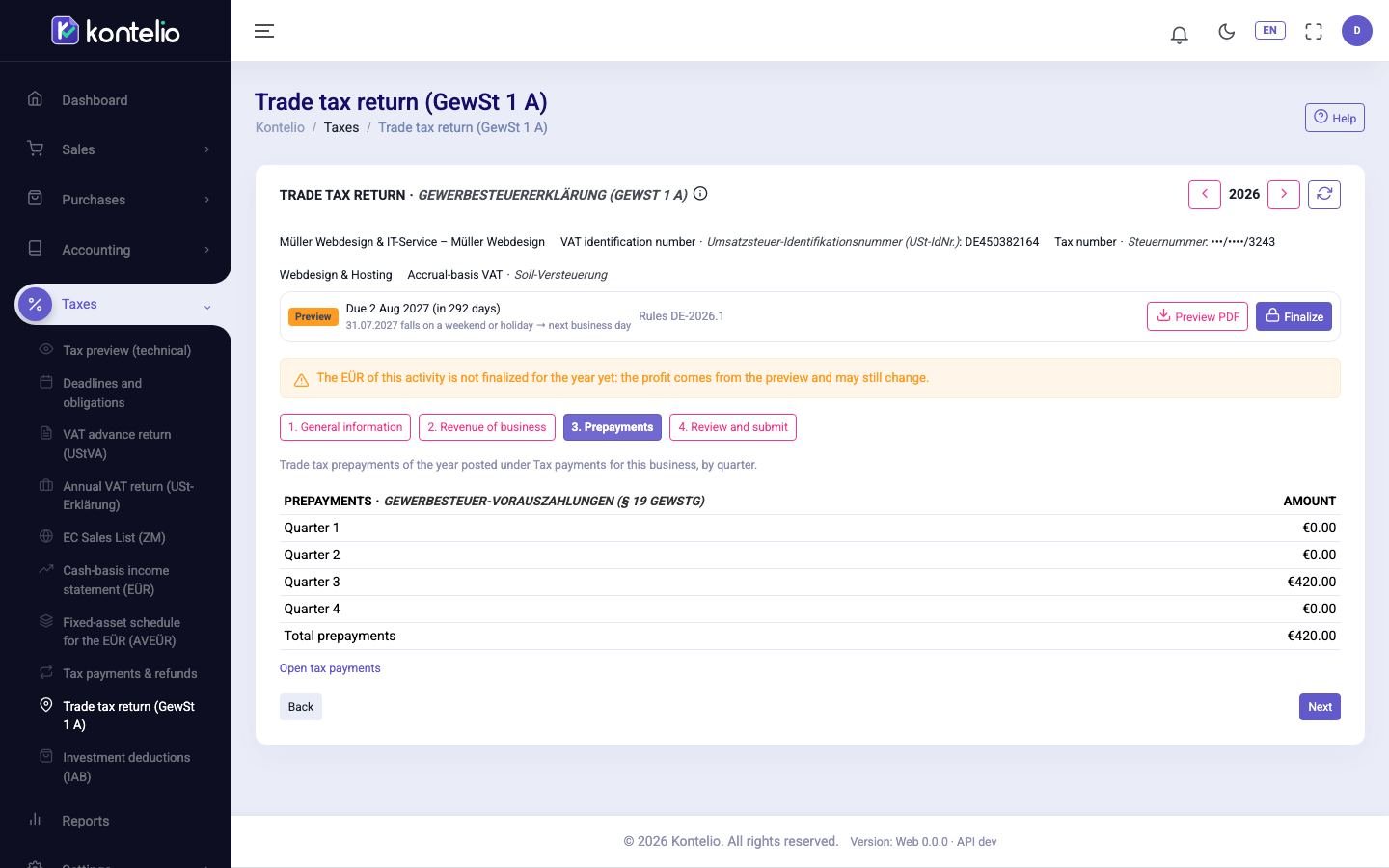
The profit is rounded to whole euros, half up (from 50 cents upwards, also for a loss). If the year's Anlage EÜR is not finalised yet, it comes from its preview and may still change; a notice says so, and Open the EÜR takes you to the EÜR.
You do not enter the prepayments in the return. Kontelio adds up the trade tax prepayments of this activity posted under Tax payments and refunds, per quarter. Refunds are listed separately below and do not reduce the prepayments. Open tax payments takes you to that page.
Finalise, transcribe and record
In the step Review and submit:
- Click Finalize, confirm the notices and then Finalize. It is generated in the background.
- Click Prepare filing and transcribe the values with the copy icon (⧉) into the trade tax return in ELSTER.
- After filing, click Register filing and record the date, Transferticket and, if you have it, the transmission protocol.
Statuses, versions and corrections work as for the VAT return, see VAT return (UStVA).
Good to know
- Finalise the Anlage EÜR first. Then the profit of the trade tax return is final.
- The general deadline is 31 July of the following year. Record the prepayments from the trade tax assessment as tax liabilities under Tax payments and refunds; their due dates (15 Feb, 15 May, 15 Aug, 15 Nov) appear under Deadlines and obligations.
- Returns finalised before this version can still be opened.
- Finalising the trade tax return does not lock any postings.