EC sales list (ZM)
Check the quarterly ZM of intra-EU sales to businesses, finalise it and transcribe it into ELSTER.
Available in the plans: Business Pro
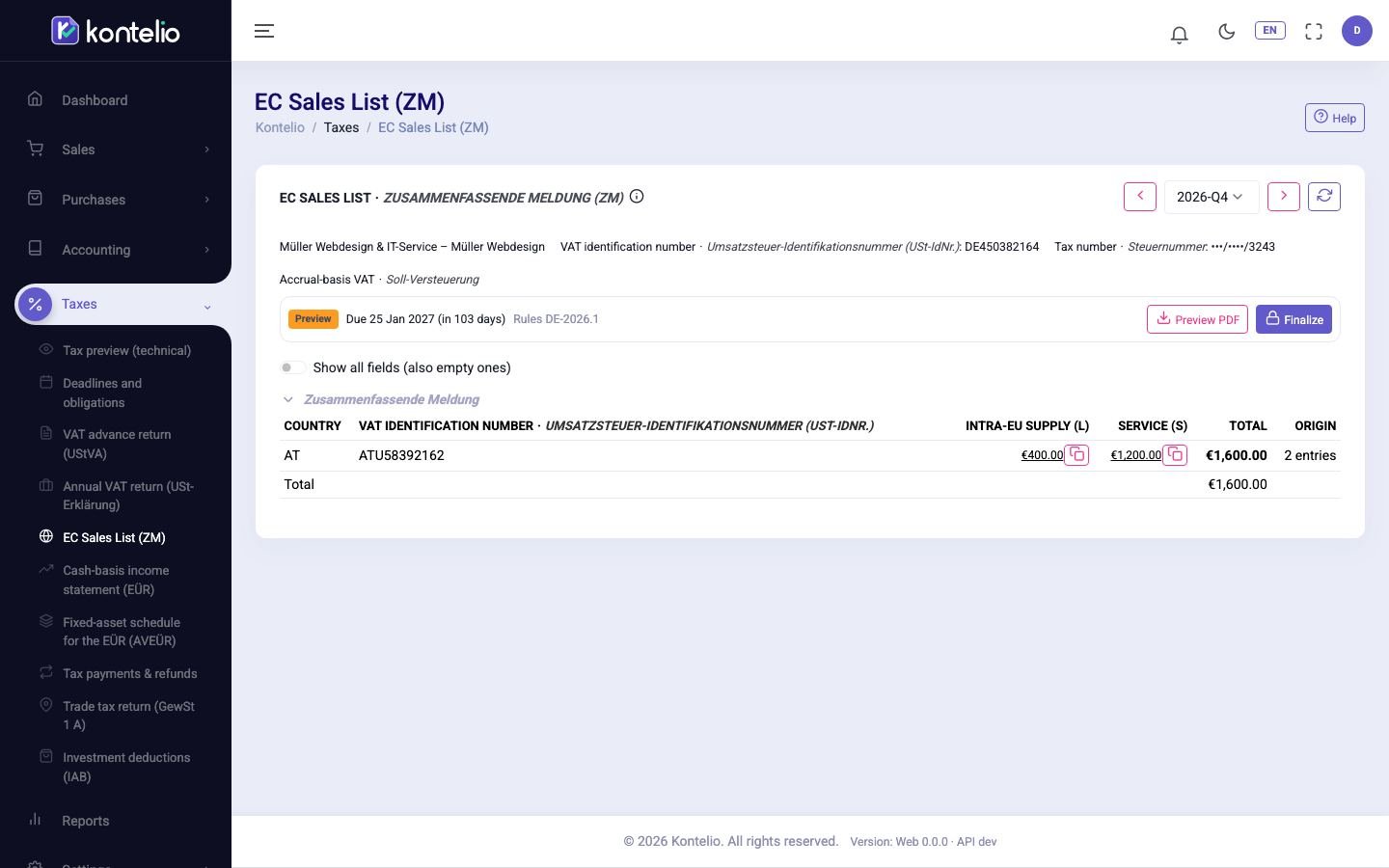
Under EC Sales List (ZM) Kontelio prepares the Zusammenfassende Meldung (ZM), the EC sales list. In it you report to the Federal Central Tax Office (BZSt) which businesses in other EU countries you have supplied goods or services to tax-free, per customer VAT ID (USt-IdNr.). Kontelio does not send the ZM itself: you transcribe the values into ELSTER and record the filing here.
Open a period
- Choose the year at the top and click the period in the list.
- Use the arrows or the selector to go to the next or previous period.
The table has one row per customer with Country, VAT ID, the amount per type (L and S) and the customer's Total. Below it is the grand total of the report. If there are no such sales in the period, it shows No values in this period.
| Type | Meaning |
|---|---|
| Intra-EU supply (L) | Supply of goods to a business with a VAT ID in another EU country. |
| Service (S) | Service to a business in another EU country where the customer owes the tax (§ 3a (2) UStG). |
The rows come from your posted invoices: from the tax code of the lines and the customer's VAT ID under Customers. Clicking an amount (L or S) shows which invoices are behind it.
Always quarterly
Kontelio always prepares the ZM for a quarter. There is no monthly ZM; a ZM finalised earlier for a month can still be opened.
An invoice with intra-EU reverse charge to an EU customer without a VAT ID is accepted with a notice. The sale appears in the VAT return (UStVA) (field 21 or 41) and in the annual VAT return, but not in the ZM, because the ZM needs the customer's VAT ID. Add the VAT ID under Customers as soon as you have it. A VAT ID confirmed as invalid still blocks the invoice.
Finalise, transcribe and record
- Click Finalize, confirm the notices and then Finalize.
- Click Prepare filing and transcribe each row with the copy icon (⧉) into the Zusammenfassende Meldung in ELSTER.
- After submitting, click Register filing and record the date, Transferticket and, if you have it, the transmission protocol.
Statuses, versions and corrections work as for the VAT return, see VAT return (UStVA). Finalising the ZM closes the months of the period.
Good to know
- The ZM covers your whole business, not each activity.
- A ZM appears in Deadlines and obligations only for periods with such sales.
- If a customer's VAT ID is not confirmed, Kontelio already points this out when the invoice is issued. You see the state of the confirmation on the customer under VAT ID check.