Tax preview (technical)
A technical preview of all tax forms for any period and activity, without finalising anything.
Available in the plans: Business Pro
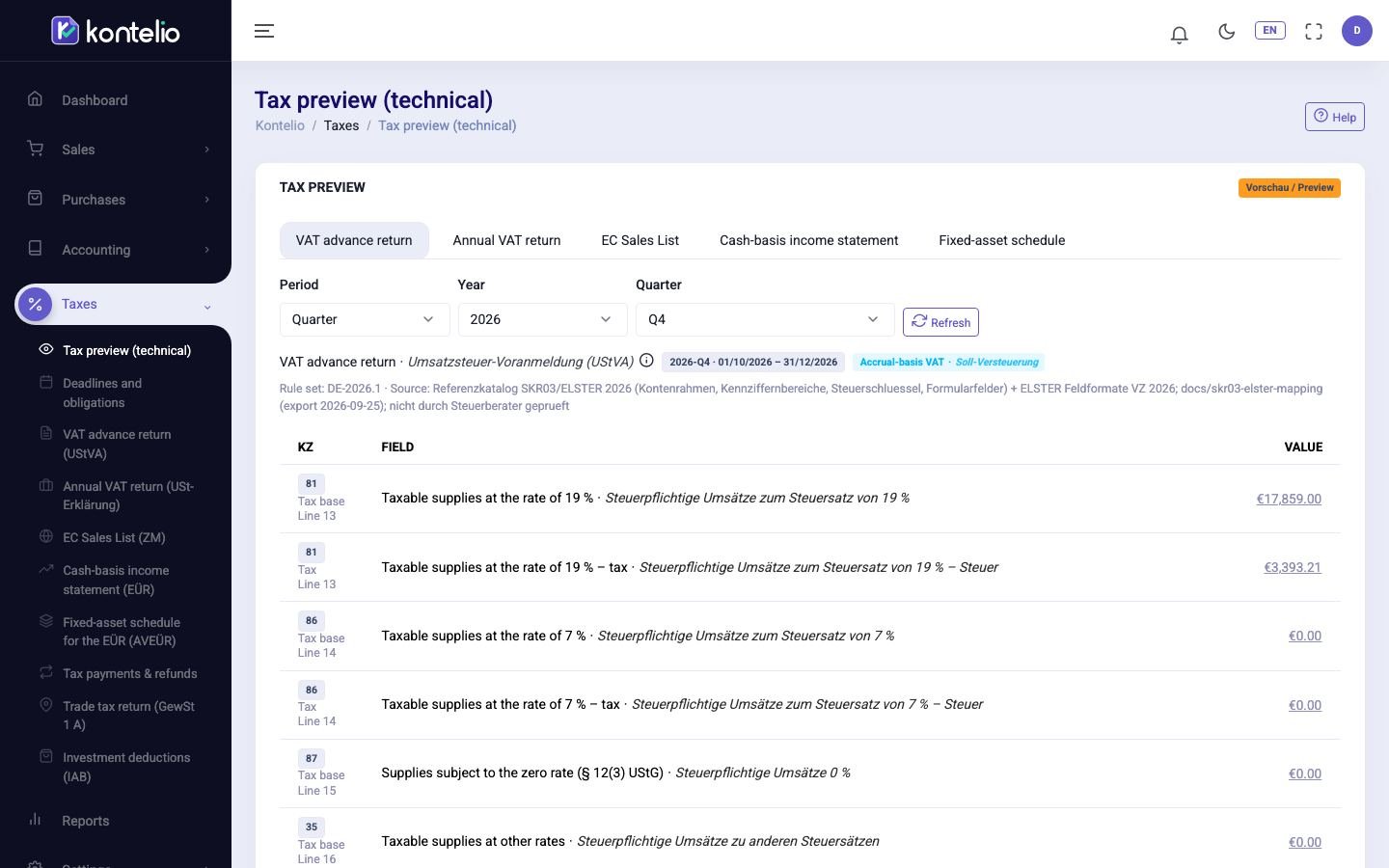
The Tax preview (technical) shows which values Kontelio's tax calculation produces from your postings for each form: VAT return, annual VAT return, EC sales list, Anlage EÜR and Anlage AVEÜR. It is a tool for checking, for example for your tax adviser. Nothing is stored, finalised or filed here; that is done in the individual returns such as VAT return (UStVA).
Show a preview
- Choose the tab of the form at the top, for example VAT advance return.
- Under Period choose month, quarter or year, then the Year and the month or quarter. The annual forms only have the year.
- For Cash-basis income statement and Fixed-asset schedule, also choose the activity or All activities (side by side).
- Click Refresh to recalculate with the latest postings.
The selection is part of the page address; you can bookmark a preview or share the link.
Read the preview
- The header names the form, the period with dates, accrual or cash accounting, for activities the tax number, the Rule set and the Source of the form catalogue.
- Each row shows the Kennzahl, the line on the form, the field and the Value. In VAT forms, tax base and tax appear as separate rows.
- By activity splits each value across your activities. VAT is still reported for the whole business.
- Calculated fields such as Kz 83 show their Formula.
- Clicking a value opens the accounts and journal lines behind it, down to the document.
- Classification errors and notices appear above the table, with the number of lines affected.
With All activities (side by side) the activities appear side by side with a column Total (information). Each activity files its own Anlage EÜR; the total is for information only. For the EC Sales List you see one row per customer (VAT ID) with L, S and total, for the Fixed-asset schedule the assets per group.
Good to know
- Users with the tax preview right see this page; it does not change any data.
- If the values differ from a finalised return, the postings have changed since. The return then shows Outdated, see VAT return (UStVA).