Products and services
Create items and services with price, unit and tax code so that documents are written faster.
Under Products and services you define what you sell: services such as consulting hours and products such as goods. When you pick an entry in an invoice, Kontelio fills in the name, unit, price and tax code automatically.
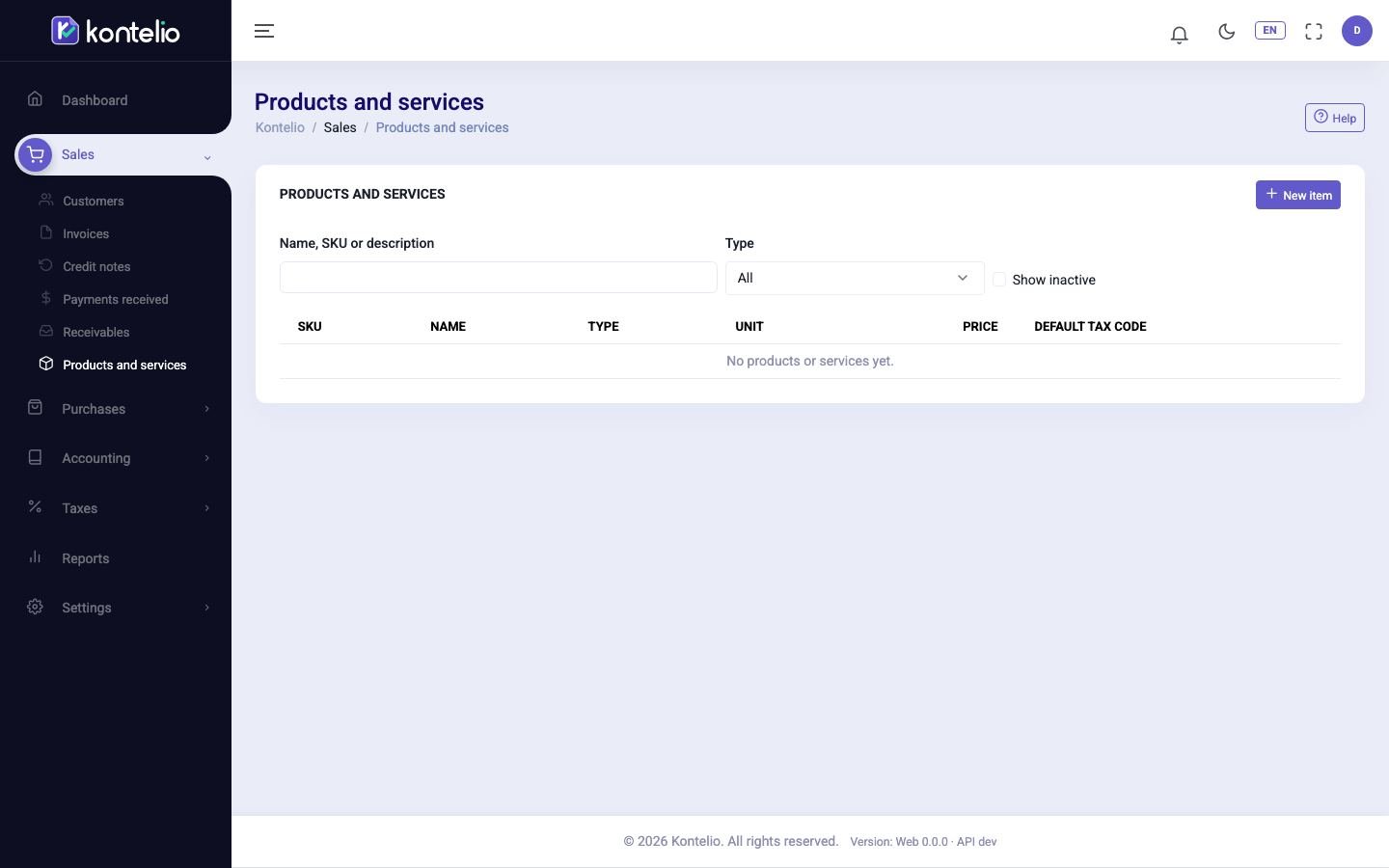
Find entries
- Type a search term into Name, SKU or description.
- If needed, narrow the list down with Type to Service or Product.
- Tick Show inactive if you also want to see deactivated entries.
Clicking the name opens the entry for editing.
Create a product or service
- Click New item.
- Under Type, choose Service or Product.
- Enter the Name. All other fields are optional but save work later.
- Choose the Unit, enter the Price and set under Price is whether it is net or gross.
- Choose the Default tax code.
- Click Save.
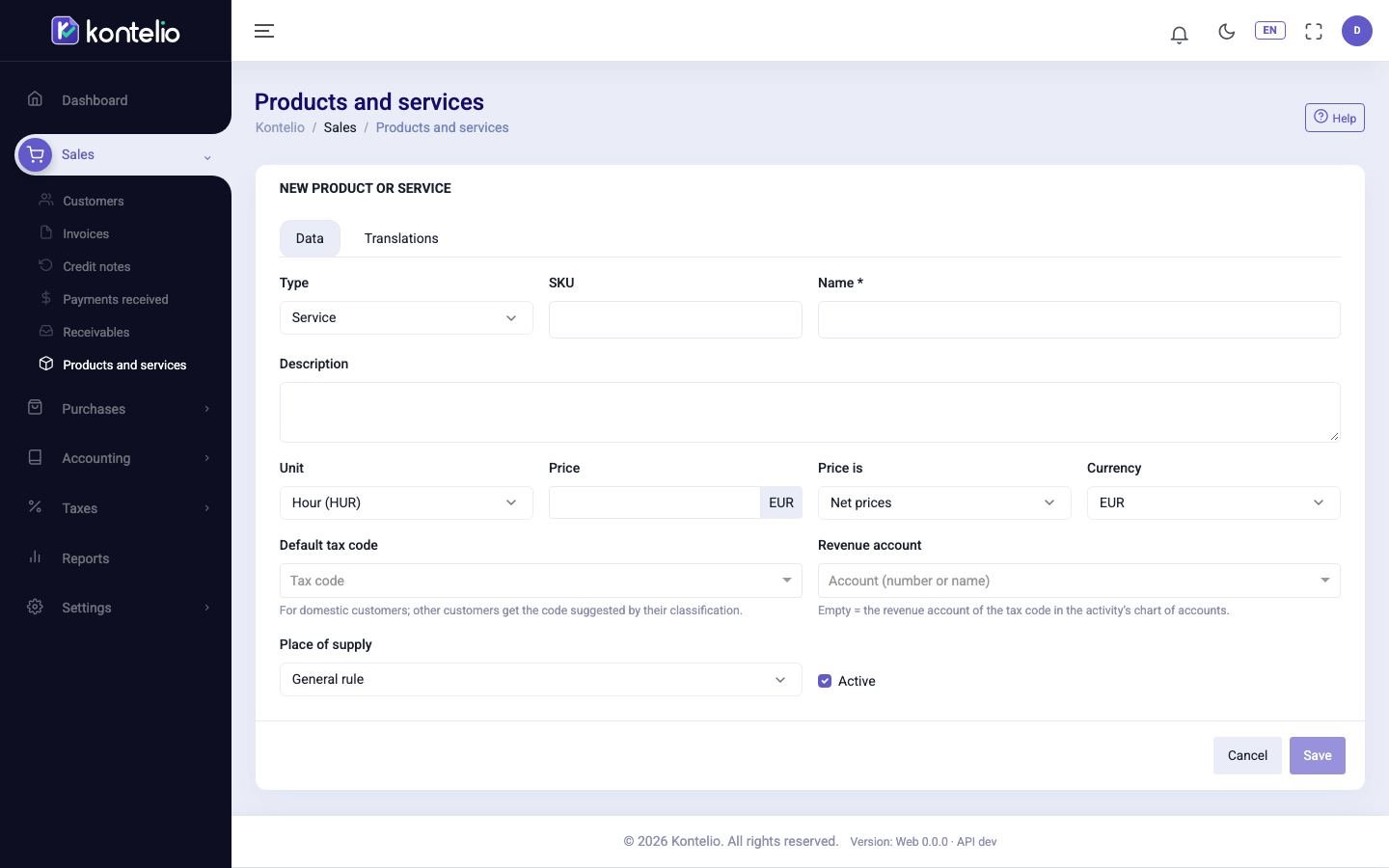
| Field | Meaning |
|---|---|
| SKU | Your own number, for example from your catalogue. You can then search for it in the list. |
| Default tax code | Applies to domestic customers. For customers abroad, Kontelio suggests the code that matches their classification, for example reverse charge. |
| Revenue account | Leaving it empty is the normal case: Kontelio then posts to the revenue account that belongs to the tax code. |
| Default activity | Only visible if you have several activities. Copied into new documents. |
| Place of supply | For special cases such as events or electronic services to private customers. Invoices with this entry then show a note about the tax code. |
Translations for English documents
On the tab Translations you enter the name and description per invoice language. An English-speaking customer then gets, for example, "Consulting" instead of "Beratung". Empty fields use the base name from the tab Data.
Good to know
- Entries are not deleted. Instead, untick Active: the entry disappears from the selection in new documents, existing documents remain unchanged.
- If you change a price, it only applies to new lines. Invoices already created keep their price.
- In every document you can still adjust the name, price and tax code of a line; the entry here is only the template.
- Creating and changing entries requires the same permission as editing customers.